
Individual bit manipulation - Bitmasks
The fundamental tool to have efficient control and manipulation over the data

Fundamentally, computers work by using only ones and zeros (1s and 0s). But a single bit can only represent two states, which isn't enough for complex tasks. To represent more complex data and instructions, computers combine multiple bits together.
CPUs are often classified by their word size, which is the number of bits they can handle at once, such as 8, 16, 32, or 64 bits. A “word” is the native data size that a processor handles in a single operation. When the CPU reads, writes or moves data, it always processes this fixed-size word.
The RP2040 (Raspberry Pi Pico) is a 32-bit microcontroller (MCU). This means its word size is 32 bits.
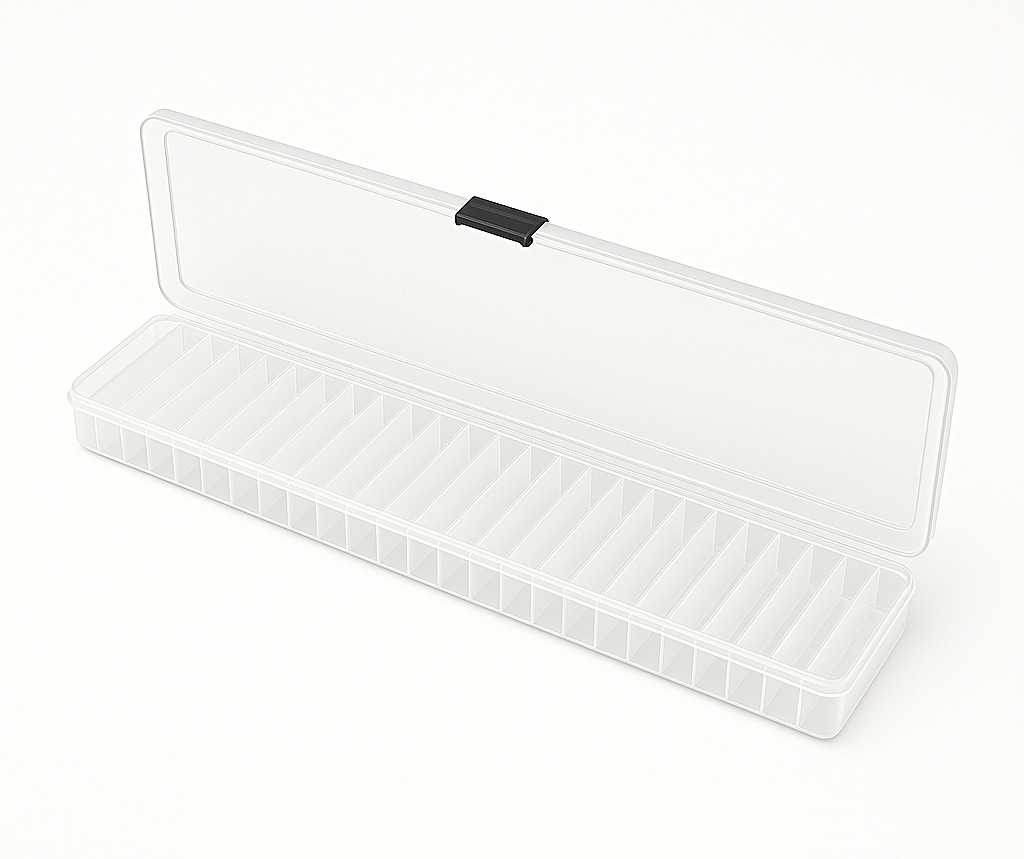
Think of the word size like a fixed-size storage box. The box has dividers, and each compartment can only hold 1 item (a single bit). In the case of the RP2040, its storage box has 32 compartments, so it can carry 32 items (32 ones or zeros).
When the RP2040 reads, writes and moves data around, it uses that box to carry the data (1s and 0s), whether it's completely empty (all 0s), partially filled (with some 1s), or even completely full (all 1s). The box's size is FIXED; it can't be bigger or smaller than 32 bits. It processes in 32 bit chunks at the time.
So, if we want to change one bit in a register, and leave the rest unchanged — for example, to set a single pin on the MCU to be an output, but leave the rest of the bits as is?
We can’t tell the CPU to “change bit 5 and leave the rest alone”. The awnser: bit masking and bit shifts.
Bit masking
Bit masking is like… a real mask you put in your face 😅 You can only see were the holes are. Or like a stencil: a piece of paper (a 32-bit register) with 32 bits written on it, and you want to see though only a 1 or more specific bits that interests to you, without affecting the others.
You create a stencil (the bitmask) that has the holes cut only where the bits you want to be changed. The other bits are covered by the stencil and won’t be changed. With bit masks you can select, modify and test certain bits in a word (storage box).
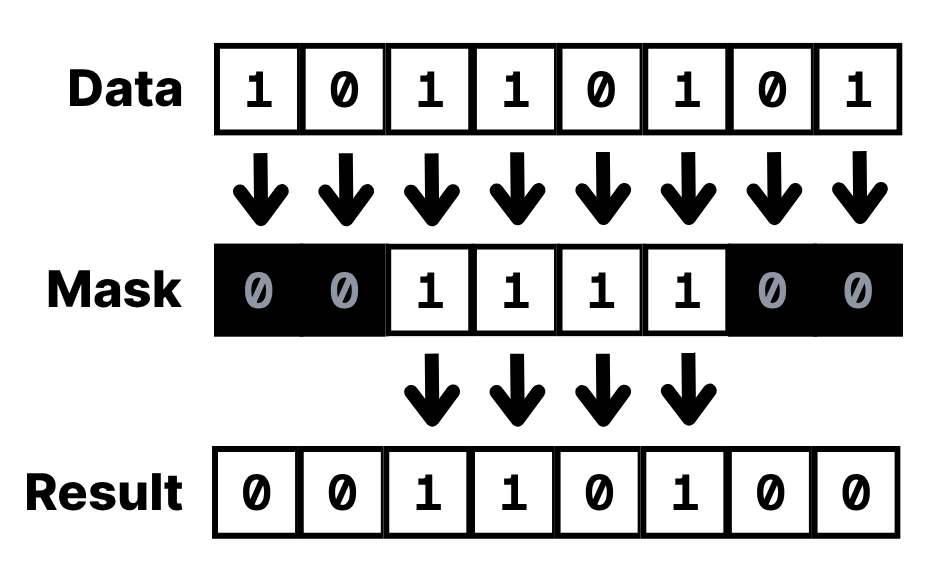
Using bit masks you can:
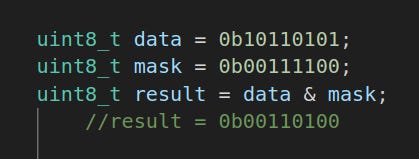
Check the status of certain bit(s): acts like a filter, it only let pass through the bits you’ve set to 1 in the mask. You can use this method by using the bitwise AND, in C the operand is the ampersand “&”.
Example: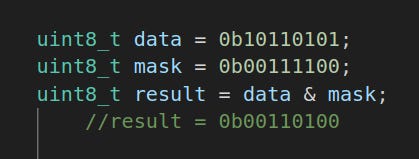
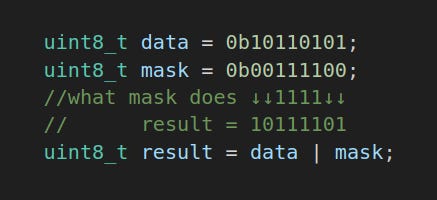
A bitmask with bitwise AND “&” operand Set a certain bit(s) to 1: This is like a stamp. Any bit set to 1 in the mask, the same bit position in the data, sets to 1, regardless if it already was 1 or 0. The rest of the bits is passed though, it does not touch them. The bitwise operator is OR, and the character is the vertical bar “|”.
Example: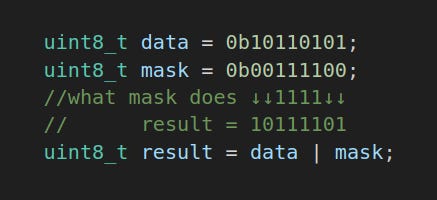
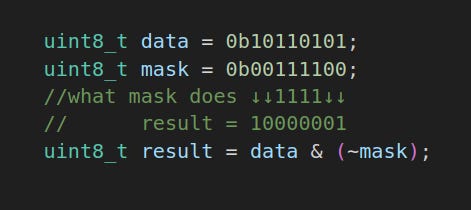
A bitmask with a bitwise OR “|” Clearing a certain bit(s) to 0: This one is like an eraser. Any bit set to 1 in the mask, the same bit position in the data sets to 0. The rest of the bits is passed through, it doesn’t touch them. This time you combine 2 bitwise operators: the AND “&” and NOT “~”.
Example: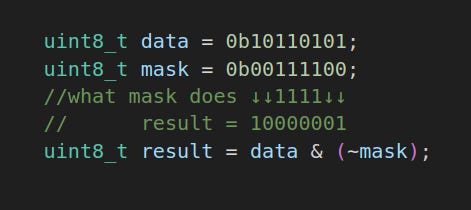
A bitmask with a bitwise AND “&” and bitwise NOT “~” Toggling a certain bit(s): In this case the mask flips the switch. If the value was 1 it flips to 0, and vice versa. The rest of the bits is passed though, it doesn’t touch them. The bitwise operator is XOR (exclusive or), and the character is the chevron or caret “^”.
So what this mean in practice?
We can improve the bare metal blinking LED on the Raspberry Pi Pico.
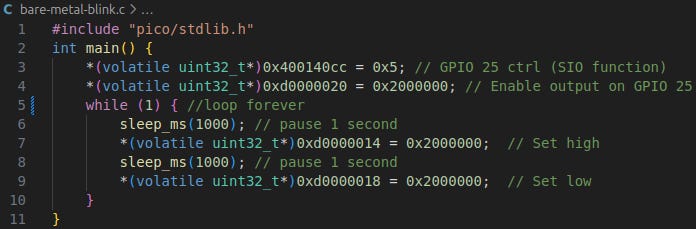
The RP2040 has another register to toggle a certain pin, like the bitmask with XOR. With this register the RP2040 it will do a Exclusive OR to the pin(s) we set in the bitmask atomicly (in just 1 instruction in assembly).
This way we can reduce to just 1 line to turn ON and OFF the led! Nice!
I like optimizations, squeeze more with the same result. That’s the beauty of knowing well the platform.
So to do that, we go to the documentation and locate the register to XOR the bit we want.
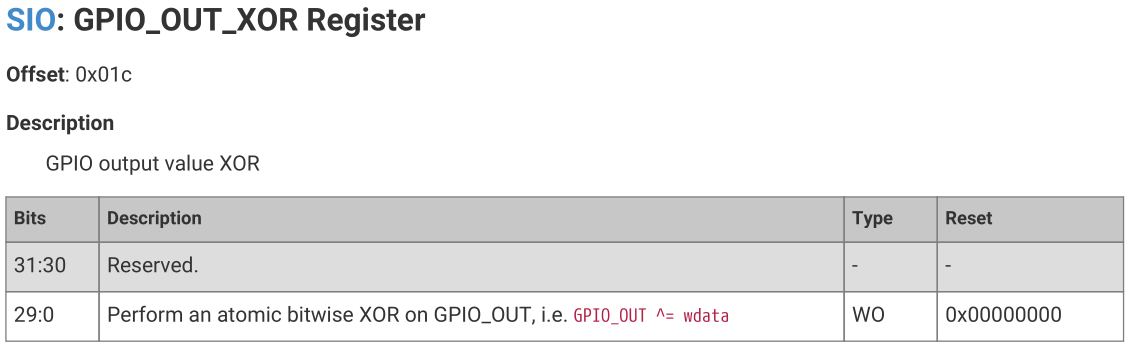
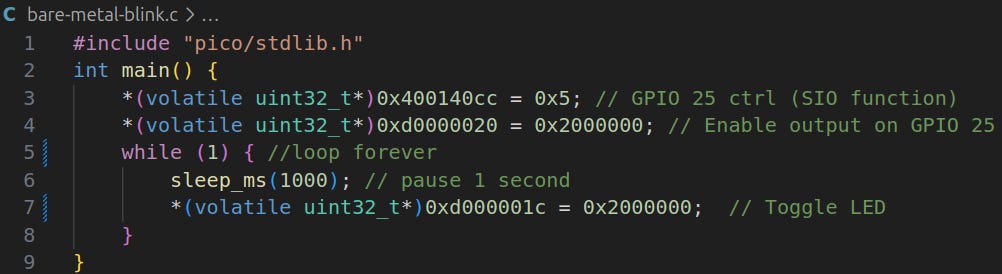
The register is 0xd000001c. The code change is simple, we change to the pointer to the new register location, set the same bitmask (0x2000000). Then we remove the 2nd sleep_ms and the line to set the GPIO25 to LOW.
Now the code will be like this:
Bit masking is powerful tool to filter the the bit or the bits we want to change, since we can’t just select 1 bit of an register, variable, etc. Knowing very well the ins and outs of the computers, can give you so much insight in how computers really work. For me it is a very interesting journey.